How to Build an Ai Agent and What Tools to Use (From Gpts to Qodo)

TL;DR
- Traditional AI agents are built using models like GPT or Claude, guided by prompts that include context, documentation, tool descriptions, and user intent.
- Most custom agents require manual setup of prompt logic, tool integration, and event triggers, often resulting in fragile or one-off scripts.
- Agent frameworks give you a structured way to define and deploy AI coding agents across the software development lifecycle.
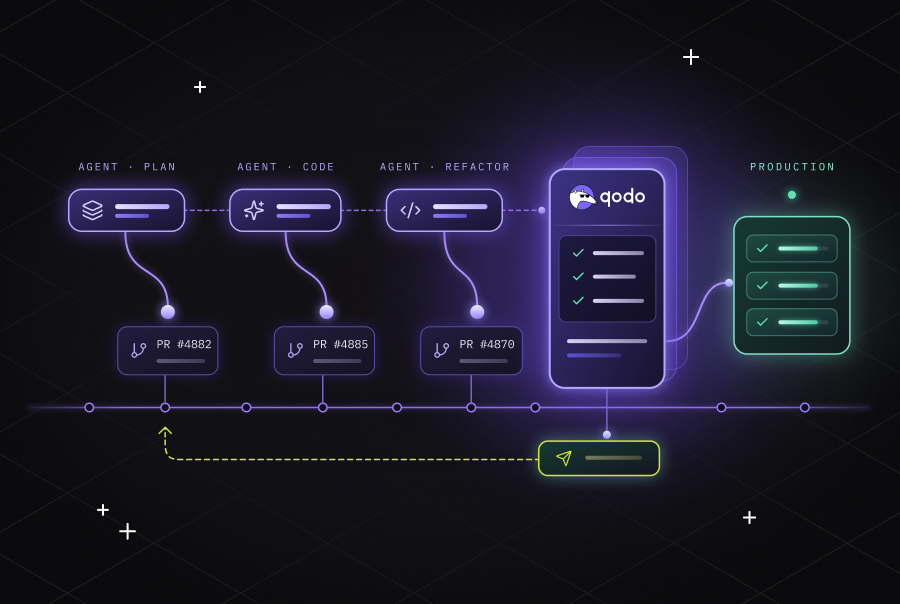
- Agents can be triggered from CI/CD pipelines, terminal commands, or webhooks, and can automate tasks like debugging, code reviews, and release documentation.
- Whatever framework you use, agent output still needs review. Qodo reviews agent-written code locally inside coding agents and on every pull request.
When we hear the word “AI”, devs first think of generative AI, models that write code, create text, or generate images. It creates new content based on what we ask or prompt. But what about if we have to make the AI that can observe the codebase environment, decide what to do next, and actually perform tasks, often as part of larger software systems.
As a Senior Engineer myself, I have come to a point where I don’t need code completion assistance now. What I need is to automate repetitive dev workflows (like CI debug bots or automated release managers) or monitor production, identify anomalies, and trigger recovery steps. That’s where AI agents fundamentally differ from traditional generative AI. Unlike generative models that only respond to prompts, real AI agents are designed to act.
In this post, I’ll break down what makes AI agents different from typical generative AI tools, why they’re becoming a practical need for growing teams, and how to build them and review their output in production-grade environments.
What are AI Agents?
Before getting started on how AI agents are built and how they can help your team, let’s get an overview of AI agents. These agents are software programs that are designed to perform tasks autonomously on behalf of a user or another system. They’re built more like systems that can watch what’s going on, make decisions, and take action on their own.
How Traditional AI Agents Are Built Using GPT or Claude
Modern AI agents are frequently built on large language models (LLMs) like OpenAI’s GPT. An LLM serves as the agent’s “brain,” processing language-based instructions and generating responses. Developers create prompts or instructions that guide the GPT model’s behavior.
For example, an agent’s prompt might define its role (e.g. “review this code”) and the desired style of output. Then the GPT model uses its knowledge to reason, plan, and respond step by step.
Below is an illustration of the key aspects of GPT-powered agents:
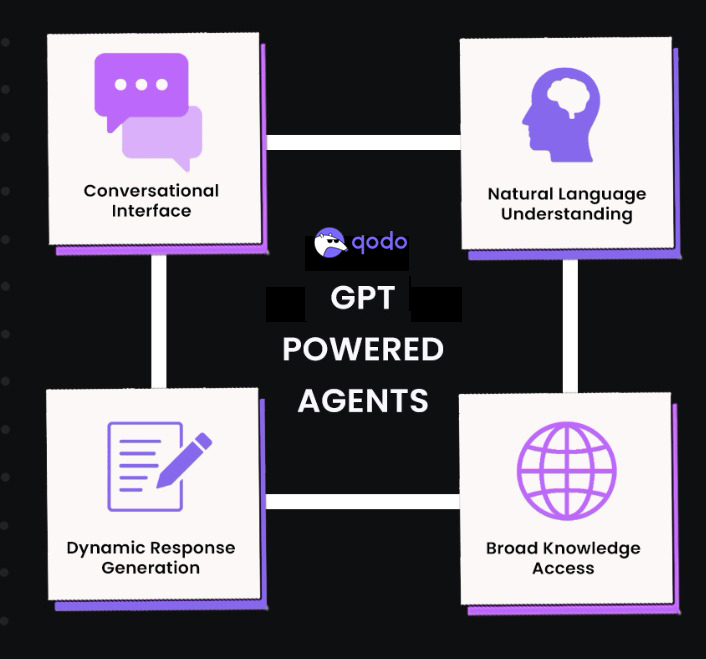
Most AI agents start with a deceptively simple core: a prompt. Under the hood, though, this prompt often carries much more than just user input. In traditional agent setups using models like OpenAI’s GPT or Anthropic’s Claude, the prompt acts as the full instruction set, the environment, the tools, the rules, and the request, all bundled into one carefully structured message.
For example, I included in the prompt:
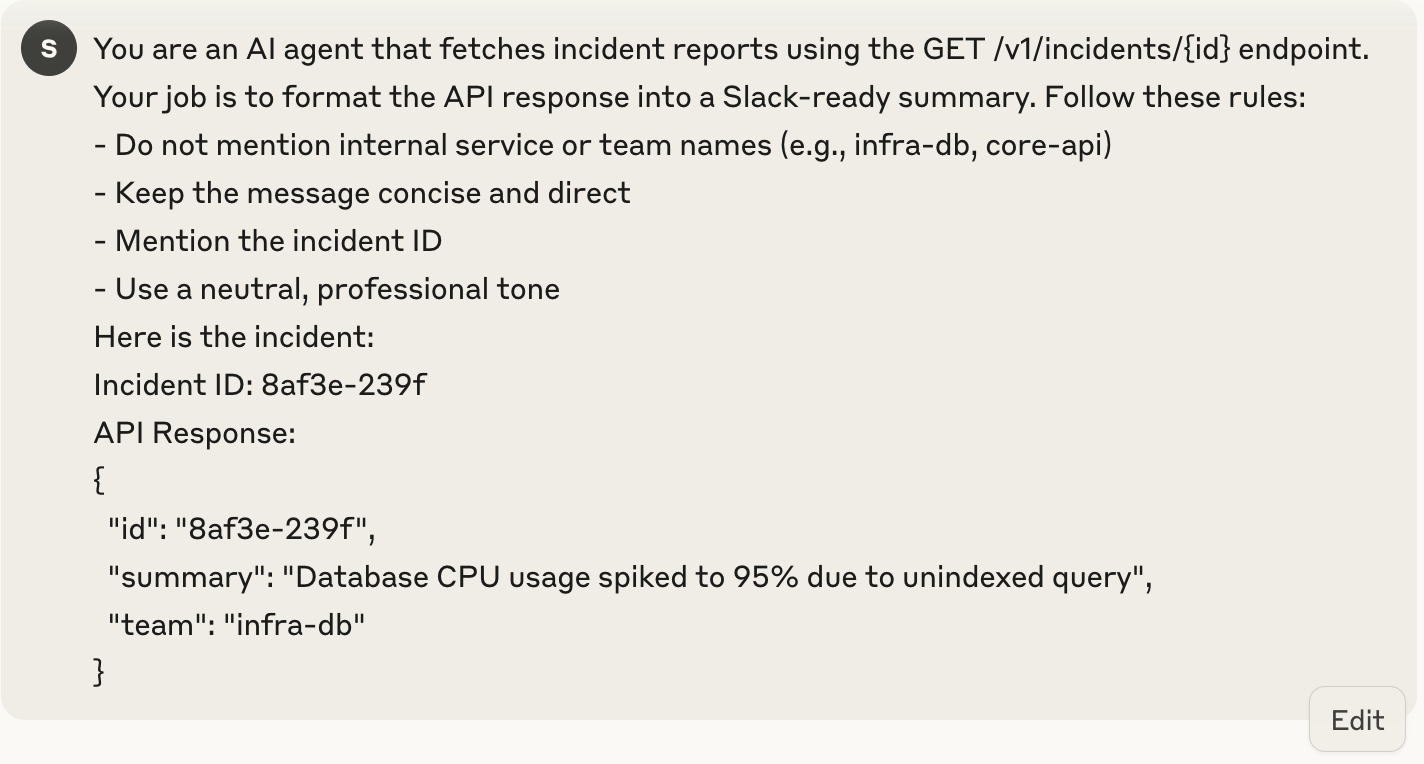
“You are an agent that fetches incident reports using the GET /v1/incidents/{id} endpoint. Format the result as a Slack-ready summary. Avoid mentioning internal service names.”
Alongside that, I include a sample API response and the user input (like an incident ID), and ask the model to return a message. Here is the output:
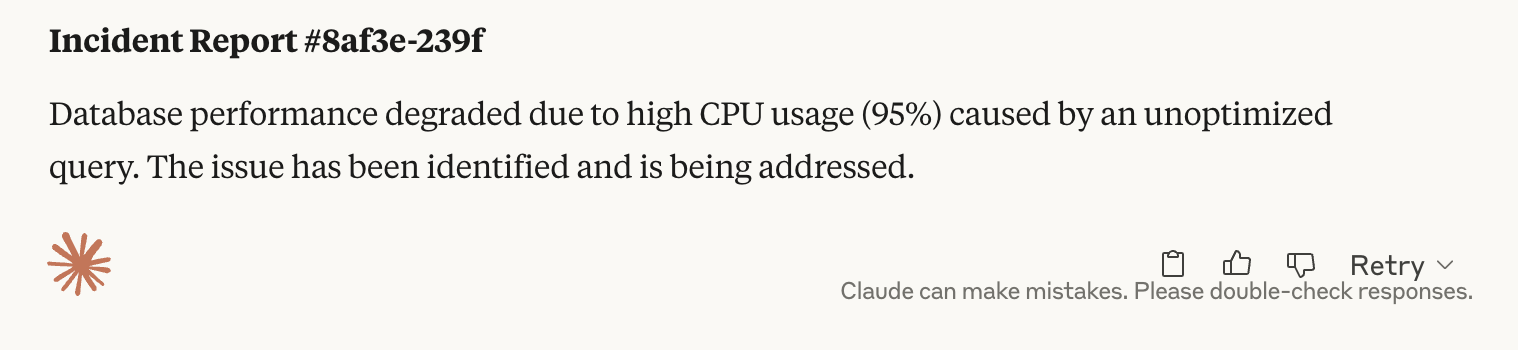
This works well for simple tasks. But when the workflow has many steps, tools, or rules, it becomes hard to manage. A single long prompt can easily break if the input or format changes even a little.
Agent frameworks help solve this. They let me set tool behavior, define when the agent should stop, and handle inputs in a clean way. Even with GPT or Claude, the idea is the same: give the right context, explain the task, set clear rules, and manage the response.
Reviewing What Your Agents Produce with Qodo
Once agents write or change code, the next question is whether that code is safe to merge. Qodo is the AI code review platform with high-precision PR review, full codebase context, enforceable rules, and local review inside your coding agents.
- Local review inside coding agents: the Agentic Toolbox adds Qodo review skills to agents such as Claude Code, Codex, and Kiro, or to any MCP client, so changes are reviewed before they are pushed. You can also run
qodo reviewfrom the CLI. - Pull request review: Qodo Git reviews every pull request in GitHub, GitLab, Bitbucket, and Azure DevOps.
- Full codebase context and rules: the Qodo Context Engine and the rules system check each change against your repositories and your team’s standards.
Conclusion
Building AI agents isn’t just about wrapping a prompt in an API call. It’s about designing reliable, context-aware systems that can act on your behalf across real developer workflows. Whether it’s summarizing code, debugging CI failures, or reviewing pull requests, the key is combining language models with structured context, defined goals, and access to tools.
You can start simple using GPT APIs with custom prompts and gradually move toward production-grade agents. Whatever you build with, pair it with a reviewer such as Qodo so agent-written code is checked before it merges. It lets me define how agents behave, when they run, what they act on, and how they return results, without needing to build or host any new infrastructure.
From scripting basic tasks to running automated reviewers in CI pipelines, AI agents are becoming a practical part of software development. With the right tools and patterns, they’re not just assistants, they’re teammates you can rely on.
FAQs
What’s the best tool to build AI agents for developers?
It depends on the use case. For general-purpose agents, tools like LangChain or GPT APIs offer flexibility. For agents that write code, add a code review step, such as Qodo, before changes merge. It’s designed for software teams, with built-in Git context, CI/CD triggers, and configurable agent workflows.
How can I create an AI agent using GPT or Claude?
Start with a simple script using openai.ChatCompletion or Claude’s API. Construct prompts with input files, relevant documentation, tool descriptions, and clear rules. Add logic to handle retries, token limits, and structured outputs. This lets your agent reason over inputs and return actionable results, like summaries or fixes.
Can AI agents run in CI/CD pipelines?
Yes. Most agent frameworks can run in CI, triggered by events like PRs or failed builds. The agent reads diffs, logs, or config files and returns machine-readable output suitable for automation. Qodo also reviews every pull request automatically, so agent-written changes are checked before merge.
How is Qodo different from LangChain?
LangChain is designed for chaining LLMs with tools and memory, which makes it great for building and prototyping agents. Qodo is not an agent framework. It is an AI code review platform that reviews the code your agents produce, locally and on every pull request.
About the author