7 Agent Skills for Engineering Work Coding Agents Miss

Code generation is only one part of software delivery. These skills make the planning, testing, workflow safety, developer experience, and documentation around the code more explicit.
AI coding agents are good at responding to concrete implementation requests. Ask for an endpoint, a refactor, or a bug fix, and they can start producing code immediately.
The work they tend to skip surrounds that implementation:
- deciding exactly what should change
- identifying the contracts that must remain stable
- turning requirements into observable behavior
- proving that unsafe workflow transitions stay blocked
- checking whether errors help a developer recover
- verifying that the README still describes the software accurately
These steps are easy to treat as optional when you’re building quickly, but it causes friction.
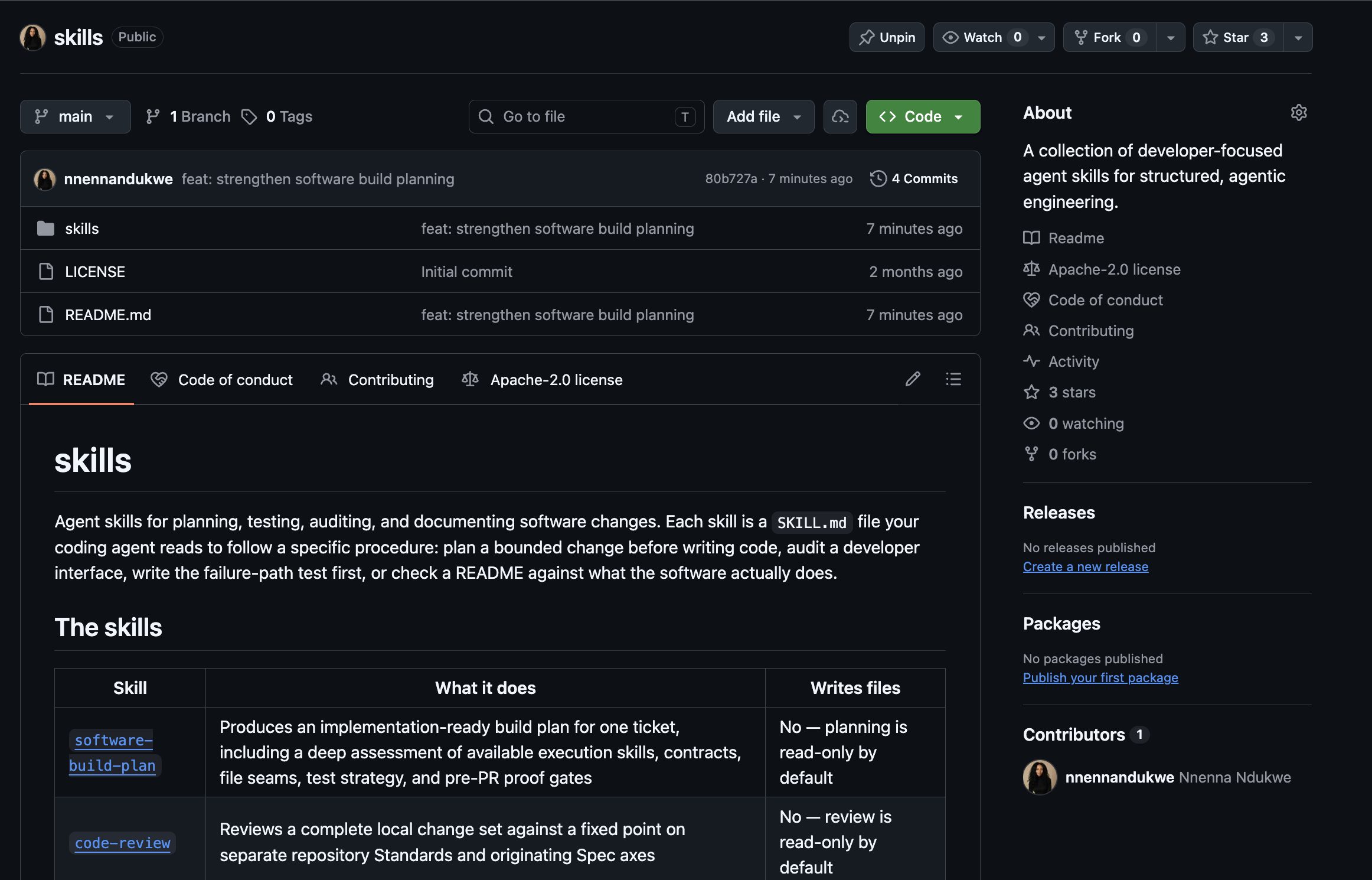
So I open-sourced seven agent skills to make that work explicit and repeatable. Each skill packages a bounded engineering procedure: what the agent should inspect, which question it should answer, when it may change files, what it must test, and which gaps must remain visible.
This follows my earlier article on using code-review telemetry to identify missing skills. That article focused on finding recurring weaknesses through review. This one follows the next step: turning those weaknesses into portable workflows that can shape a real software change.
What an agent skill changes
Qodo’s Agent Skills are reusable instruction packages that give an agent specialized coding workflows.
The important word for me is “workflow”.
A useful skill should change how an agent approaches a job. It should tell the agent which evidence to collect, which boundary to preserve, what outcome to prove, and when to stop.
The seven skills across the development workflow
The lifecycle is easiest to understand through the questions each development stage must answer:
| Stage | Question | Skills |
| Before code | What are we actually changing, and what must remain stable? | software-build-plan |
| During implementation | What behavior should become true, which transitions are allowed, and what must never happen? | tdd-bdd, workflow-invariants, failure-path-testing |
| Before handoff | Can another developer use, understand, and trust the change? | dx-audit, readme-audit, readme-creation |
Before code: define the change before generating it
1. software-build-plan
What it does
The software-build-plan skill creates an evidence-backed plan for one coherent software change.
It inspects the ticket, repository instructions, current architecture, public contracts, tests, and implementation seams before naming the work. The resulting plan defines:
- scope and non-goals
- affected contracts
- file and module responsibilities
- test seams
- failure and recovery behavior
- a reviewable commit sequence
- the pre-PR review strategy
Planning is read-only by default. Producing a plan does not authorize the agent to start editing code.
Why it helps
Agents can generate plausible implementation plans from incomplete context. That becomes dangerous when the plan invents file boundaries, overlooks a compatibility promise, or quietly expands one ticket into several changes.
A Software Build Plan makes the agent prove that it understands the existing system before it proposes how to change it.
Use it when
Use this skill when the requested change affects an established repository and needs a clear boundary before implementation: a feature, bug fix, migration, CLI change, API change, or workflow modification.
During implementation: make behavior and failure explicit
Three skills operate during implementation, but they answer different questions:
- tdd-bdd: What observable behavior should become true?
- workflow-invariants: Which state transitions should the system allow or refuse?
- failure-path-testing: What must the system prevent, and how should the operator recover?
2. tdd-bdd
What it does
The tdd-bdd skill turns a requirement or bug into observable Given/When/Then behavior:
Given <starting state>
When <event or action>
Then <observable result>
It selects the smallest useful test layer, writes a meaningful failing test, implements the minimum change required to pass, and refactors while keeping the behavior protected.
Why it helps
Without a behavior-first step, an agent can move directly from a ticket to a solution. The resulting code may look reasonable while solving the wrong problem or proving only that the implementation matches itself.
A red test exposes the gap before the solution exists. It gives the agent and reviewer a shared definition of what “fixed” means.
Use it when
Use it for features, bug fixes, regressions, or any change whose expected result can be observed through returned values, stored records, emitted events, rendered output, or command behavior.
3. workflow-invariants
What it does
The workflow-invariants skill models a multi-stage process as explicit states, allowed transitions, blocked transitions, and recovery actions.
It asks questions such as:
- Can a failed run become active?
- Can a downstream command start before approval?
- What happens when several blocking conditions are true?
- Which failure should take precedence?
- Does every rejected transition explain how to recover?
Why it helps
Workflow systems can return correct values and still move through the wrong sequence.
The most serious bugs often appear between stages: stale state is selected, a failed run becomes authoritative, or a downstream action starts before an upstream gate has completed. Happy-path testing rarely exposes those failures.
Explicit invariants turn sequencing assumptions into code and tests I can inspect.
Use it when
Use this skill for pipelines, approval flows, CI orchestration, staged generation, agent runs, deployment workflows, or any system in which the order of operations carries safety or correctness requirements.
4. failure-path-testing
What it does
The failure-path-testing skill starts with the path that must remain blocked.
It creates realistic integration tests that prove:
- a failed gate prevents downstream progression
- forbidden artifacts are not written
- partial output does not replace known-good state
- malformed input fails loudly
- the blocked state retains useful diagnostic evidence
- the operator receives a specific recovery action
Why it helps
A happy-path test proves that the system can move forward under expected conditions. It says very little about what happens when configuration is missing, a dependency fails, an approval is absent, or a write stops halfway through.
Those failures are where trust is usually lost. Failure-path testing makes non-progression an observable requirement. It proves that the system refuses unsafe work and leaves the operator with a usable next step.
Use it when
Use it whenever a change touches a gate, approval, startup check, external service, state swap, artifact write, malformed input path, or previously reported regression.
Before handoff: make the change usable and explainable
Implementation can be internally correct and still fail the developer who has to use it.
The final three skills inspect the public surface of the work:
dx-auditchecks the changed developer interface.readme-auditchecks whether the README tells the truth.readme-creationwrites or rewrites the README when a documentation change is actually authorized.
5. dx-audit
What it does
The dx-audit skill performs a read-only audit of a changed developer interface.
It examines surfaces such as commands, flags, output, errors, setup, examples, and recovery instructions. Findings are prioritized by the friction they create, and runtime claims that cannot be proven from source remain listed as verification gaps with the commands needed to resolve them.
Why it helps
A correct implementation can still produce an interface that is hard to discover, difficult to diagnose, or easy to misuse.
The agent that wrote the feature already understands how it works. The next developer does not have that context. A DX audit evaluates the change from that second perspective.
It also keeps source inspection separate from runtime proof. Reading an error branch may show that a message exists. Running the command proves whether the message appears and whether the process exits correctly.
Use it when
Use it after modifying a CLI, SDK, API, configuration surface, generated artifact, error path, or any workflow another developer must operate.
6. readme-audit
What it does
The readme-audit skill checks a README against the repository’s current behavior.
It asks whether an engineer can quickly understand:
- what the software does
- what it returns, generates, or changes
- who it is for
- how to install and run it
- what happens after the first successful use
- what remains the developer’s responsibility
- which claims are generated, tested, reviewed, approved, or merely proposed
The audit reports drift by default. It does not rewrite the file unless that separate action is authorized.
Why it helps
Documentation drift creates a second version of the product.
When commands, outputs, prerequisites, or lifecycle boundaries change without the README changing, developers follow instructions for software that no longer exists. That is an interface failure, not a wording problem.
Use it when
Use it before a release, after changing public behavior, when onboarding feedback suggests confusion, or when the README may have fallen behind the runtime.
7. readme-creation
What it does
The readme-creation skill creates or rewrites an engineer-first README from repository evidence.
It leads with literal behavior, names exact outputs and interfaces, explains downstream use, provides a complete minimum path, and keeps generated, reviewed, approved, and adopted states separate.
Why it helps
Finding documentation drift and fixing it are different jobs.
Keeping those jobs separate preserves an important responsibility boundary: diagnosis does not automatically grant authority to rewrite a public interface. Once a rewrite is authorized, this skill turns the audit evidence into documentation another engineer can use without reverse-engineering the repository.
Use it when
Use it when a repository needs a new README, a major rewrite, or a clearer explanation of its product contract, setup, outputs, users, and operating boundaries.
You rarely need all seven skills
These skills are composable. The useful set depends on the risk and shape of the change.
- A bounded feature might use software-build-plan, tdd-bdd, and dx-audit.
- A stateful workflow change might add workflow-invariants and failure-path-testing.
- A small bug fix might need only tdd-bdd, plus a failure-path regression if the bug allowed unsafe progression.
- A release with uncertain documentation might use readme-audit, followed by readme-creation only if a rewrite is needed and authorized.
- A purely internal refactor may not require either README skill.
The goal is to select the smallest set that materially changes how the work is planned, implemented, tested, or handed off.
The operating contract shared by all seven skills
One controlled responsibility per skill
A planning skill produces a plan. An audit reports findings. An implementation skill may change tests and production code.
Keeping those responsibilities narrow makes the agent’s actions easier to understand and review.
Mutation must be explicit
A useful diagnosis does not automatically grant permission to change a repository. Read-only and code-writing behavior should always be visible before the skill runs.
Codebase evidence outranks generic advice
The skills inspect the issue, local instructions, runtime contracts, tests, and current architecture before recommending a change.
“Teams normally do X” is weaker evidence than “this command, schema, and test already establish Y.”
Guidance, tests, and review provide different kinds of confidence
A skill can instruct an agent to preserve an invariant. A failing test can prove that one behavior was previously missing. An independent review can challenge the implementation against the specification and repository standards.
These layers reinforce one another!
Verification gaps remain visible
If a runtime command did not run, a review did not happen, or an external state was not verified, the output should say so.
Lifecycle states remain separate
Planned, implemented, tested, reviewed, remediated, approved, merged, released, and adopted describe different conditions. Collapsing them creates false confidence about what the work has actually achieved.
A real workflow example: 5 skills for a mini dark factory repo
I tested this workflow on ThreadLoop issue #84. 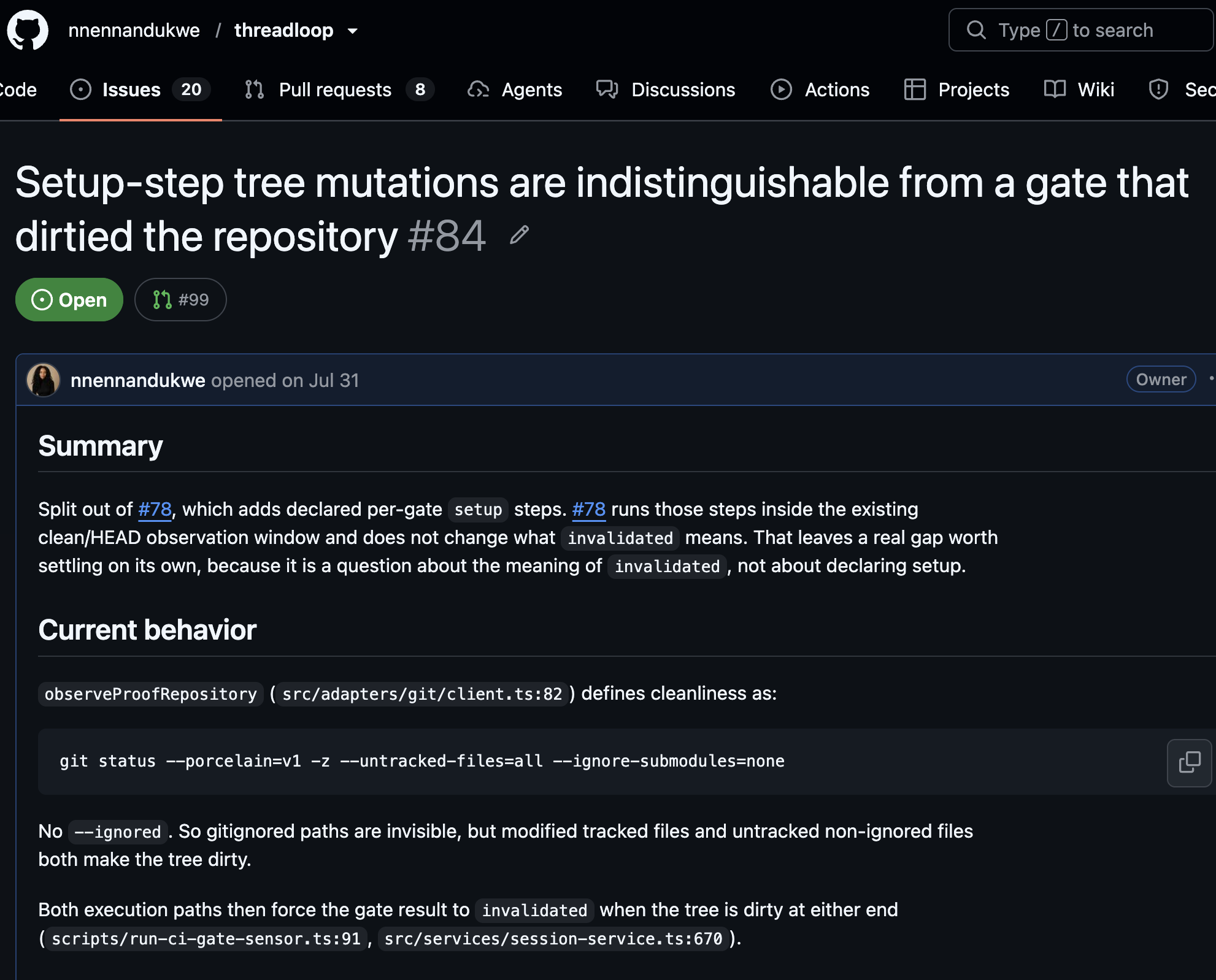
The issue was about a safety behavior with a less than stellar recovery process at runtime.
ThreadLoop runs declared setup steps before a verification gate with coding agents. If a setup process changes the repo, ThreadLoop correctly invalidates the receipt and blocks the gate. But a few things were too obscure to validate:
- whether setup or the gate changed the repo
- which step was responsible
- which files changed
- what to do next
The system was stopping unsafe progression without making the failure visible so I could diagnose it.
So I applied 5 skills:
Before code: preserve the existing contract
software-build-plan established the compatibility boundary before implementation began:
- keep the local and signed receipt schemas unchanged
- preserve the existing invalidated result
- add transient operator guidance alongside the local receipt and in CI stderr
- test the behavior through the shared execution path
That boundary prevented a diagnostic improvement from becoming an unnecessary schema migration.
During implementation: prove behavior, transitions, and blocking progression
| RED · EXPOSE THE GAP | → CHANGE · ADD THE DIAGNOSTIC | → GREEN · PROVE THE CONTRACT |
| Signal: sync creates an untracked package-lock.json | Behavior: Route the mutation through one shared diagnostic path | Evidence: Local JSON and CI stderr name sync and package-lock.json |
| Guardrail: Later setup and the gate stop | Boundary: The receipt stays invalidated; the signed schema stays unchanged | Proof: Tests show later execution never resumes |
Skill: tdd-bdd |
Skill: workflow-invariants |
Skill: failure-path-testing |
The implementation result
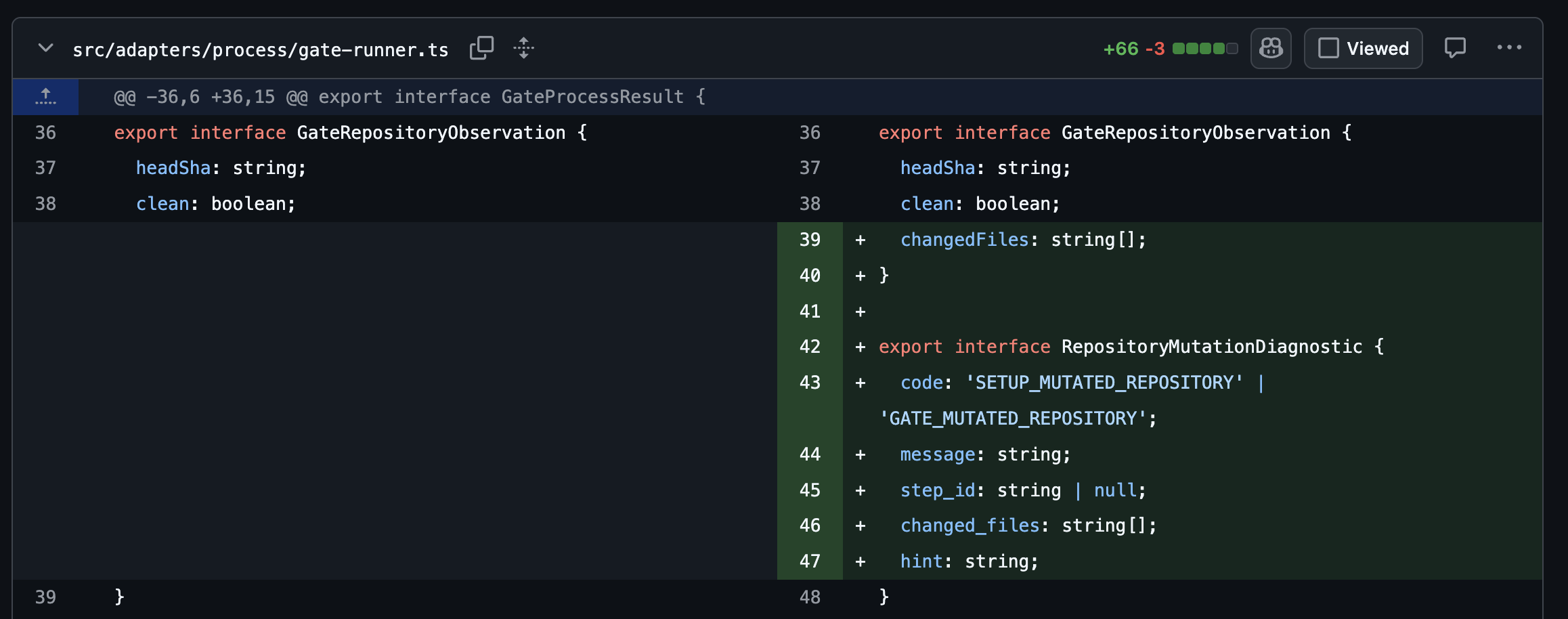
The shared gate runner now produces:
SETUP_MUTATED_REPOSITORYfor setup mutationsGATE_MUTATED_REPOSITORYfor gate mutations- the responsible step ID
- sorted changed paths
- a recovery hint
Before handoff: inspect the recovery experience
The dx-audit lens made the operator experience part of the handoff criteria.
The change had to do more than stop execution. Its JSON, text, and CI surfaces had to agree, identify the failure precisely, and provide a recovery path a developer could act on. This part of the workflow is designed to preserve implemented behavior, tested behavior, and reviewed behavior.
Qodo provides a review signal
Qodo ultimately returned zero findings after I applied my fixes and it re-ran code review.
All of these layers had separate responsibilities:
- the personal skills shaped planning and implementation behavior
- deterministic tests evaluated named requirements
- the pre-PR review challenged specification and standards coverage
- Qodo supplied an independent pull-request review signal
Start with the work your agent usually skips
You don’t need to adopt all seven skills at once.
Start with the place where your workflow currently loses confidence.
Install all seven:
npx skills add nnennandukwe/skills
Or install only one:
npx skills add nnennandukwe/skills --skill software-build-plan
The value comes from making invisible engineering work inspectable.
Faster code generation is useful. A workflow that can explain, test, review, and defend the resulting change is what makes that speed sustainable.
About the author