How to Use Cursor with Qodo for Code Quality

Code quality shows up too late in most workflows. You write the code (or your AI coding agent writes it), push a PR, and then wait for a review to tell you what’s wrong. By that point, the fix requires context-switching, re-reading your own changes, and often rewriting the logic you’ve already mentally moved past. If you’re looking to add Cursor code review to your workflow, there’s a better sequence that catches problems before they reach a PR at all.
If you use Cursor for code generation, you can pair it with Qodo to embed quality checks at every phase: before generation, during development, in PRs, and back into the fix process. The two tools play different roles in the SDLC and share a single rule system, ensuring standards remain consistent from the first line of code through the final review.
Here’s how they work together, step by step.
Feed your standards into Cursor before it writes anything
Cursor generates code based on the context you give it. If that context doesn’t include your team’s coding standards, the output reflects Cursor’s defaults rather than your org’s conventions.
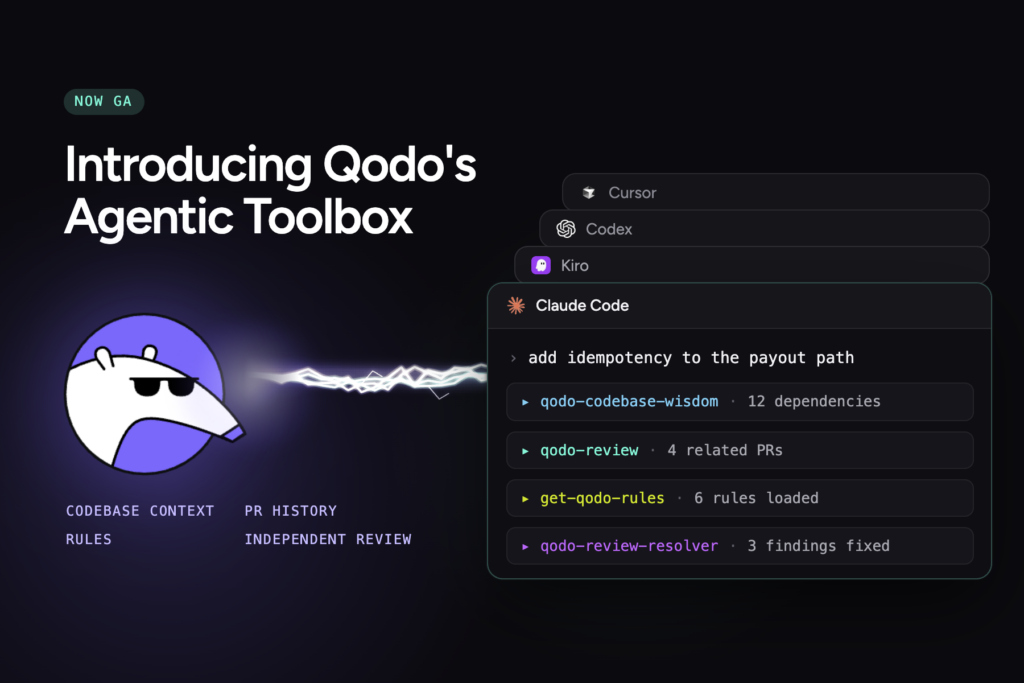
The qodo-get-rules agent skill solves this. Before Cursor generates code, invoke qodo-get-rules to fetch your team’s active rules from Qodo’s rule system. These are the same rules that Qodo enforces during PR review, pulled directly from the centralized rules portal. Cursor receives your architecture patterns, naming conventions, error-handling standards, and domain-specific constraints as context for generation.
Because of this, Cursor produces code that already aligns with your team’s expectations. Which means you’ll deal with fewer issues in code later in the pipeline because the standards were present from the start.
Review changes in the IDE before they leave your machine
After Cursor generates or modifies code, you still have a window before anything reaches a repository. Qodo’s IDE Plugin runs in Cursor and reviews your committed and uncommitted changes locally! Uncover potential bugs, fix them automatically, and move better code into the official pull request.
This is a “shift-left” review in practice. Qodo’s review agents analyze local diffs for logic errors, duplications, violations of standards, and security risks. When it finds issues, you get high-signal suggestions with 1-click resolution, right in the editor. You fix problems while the code is still fresh.
Cursor writes the code. Qodo reviews it. Both happen in the same IDE session, seconds apart.
Open a PR and get Cursor code review from Qodo automatically
Once you push and open a pull request, Qodo’s Git Plugin triggers automatically. No manual step, no slash commands, no configuration per repo.
The code review agents run on the PR. And each agent has a focused mission:
- Critical Issues detects bugs and security vulnerabilities.
- Breaking Changes flags cross-repo impact.
- Duplicated Logic catches repeated patterns.
- Rules Enforcement validates your active rules.
- Ticket Compliance checks PR changes against any linked requirements/tickets (Linear, Jira, etc.)
Every agent operates with codebase context, which indexes your repositories, tracks PR history, and retrieves relevant code semantically. The findings arrive prioritized by severity, with agent labels identifying the source and structured remediation prompts that you can hand directly to a coding agent.
The depth of this code review can be extremely powerful as an independent verification layer, separate from what Cursor or any coding agent attempts on its own.
Close the loop: fix review findings back in Cursor
Qodo reviewed the PR. There are findings to address. Normally, you’d open GitHub, read through inline comments, context-switch back to your editor, and manually work through each one.
The qodo-pr-resolver agent skill eliminates that process. After Qodo has run a review on your PR in GitHub, you invoke qodo-pr-resolver from Cursor’s terminal. It pulls the existing review comments from GitHub, drives agent-assisted fixes for each finding, pushes the updated code back to the PR branch, and auto-replies to inline comments with resolution details.
The full cycle runs in Cursor’s terminal. You review Qodo’s findings, confirm the fixes, and the agent handles the push and comment updates. Generate, review, fix, all in flow.
One rule system connects Cursor code review to code generation
The thread running through this entire workflow is Qodo’s rule system. The standards that qodo-get-rules fed to Cursor in the first step are the same standards the Review Agent Suite enforced on the PR. The same standards that qodo-pr-resolver used to drive fixes.
Rules in Qodo follow a lifecycle:
Discover (auto-generated from codebase patterns and PR history)
Measure (analytics on adoption, violations, and trends)
Evolve (automated detection of conflicts, duplicates, and outdated rules).
You manage rules in one centralized portal and export them to Cursor and other AI coding tools. One source of truth, applied everywhere your team writes and reviews code.
This is what makes the pairing work at a structural level. Cursor handles generation. Qodo handles governance. They connect through shared standards that update as your codebase evolves.
Getting started
Install Qodo’s IDE Plugin in VS Code or JetBrains and connect your GitHub repos through the Git Plugin. Set up your rules in Qodo’s portal (or let Qodo auto-discover them from your existing codebase). Add the qodo-get-rules and qodo-pr-resolver skills to your Cursor agent configuration.
From there, the workflow runs: rules feed generation, the IDE catches early issues, the Git Plugin reviews every PR, and the PR resolver closes the fix loop. That’s Cursor code review with Qodo across your full SDLC. Cursor stays your coding environment. Qodo stays your quality layer. Both do what they’re built for.
About the author