Top 6 Python Code Generator Tools for Developers in 2026

Python is now the language 57.9% of developers report working in, up roughly seven percentage points in a single year, according to the 2025 Stack Overflow Developer Survey of 31,771 respondents. More Python is being written than ever, and a growing share of it is not being typed by hand.
That shift moved the bottleneck. In the same survey, 66% of developers named “AI solutions that are almost right, but not quite” as their single biggest frustration, and 45% said debugging AI-generated code takes longer than writing it themselves. Generating a Python function stopped being the hard part. Deciding whether it is safe to merge became the hard part.
This comparison covers seven tools that Python developers actually run day to day. Each one was assessed against the same set of criteria, using a small generate-explain-extend-test task on a Fibonacci program plus a review of each vendor’s current documentation, pricing, and product state as of August 2026. Qodo, which publishes this blog, is one of the seven, and it is an AI code review platform rather than a generator. The methodology section below states exactly how that was handled.
TL;DR
- The verification layer: Qodo is not a code generator. It reviews code after it is written, using full repository context, which is a different job from the other six.
- Broadest coverage: GitHub Copilot now spans inline completion, a CLI, a desktop app, and agents that run on GitHub itself, with pricing from free to $100 per user per month.
- Best agentic editor: Cursor is a full VS Code fork rather than a plugin, built around background agents and a CLI. It costs you an editor migration.
- Best for restricted networks: Tabnine runs fully on-premise and has repositioned around an enterprise context engine. It was acquired by Tricentis, which puts a question mark on the roadmap.
- Read the fine print on Amazon Q Developer: AWS has posted an end-of-support date of April 30, 2027 for the Amazon Q Developer IDE plugins and is pointing developers to Kiro instead.
- Free and still useful: Jedi (open source, 0.20.0 shipped May 2026) cost nothing and handle completion and static analysis without an AI subscription.
No single tool does all of this. Generation, completion, and verification are three separate problems, and the teams shipping fastest tend to run one tool per layer rather than hoping one product covers all three.
What changed in Python tooling in 2026
Two things reshaped this category since the previous version of this article. First, consolidation. Tabnine was acquired by Tricentis, and Cursor acquired Graphite, folding code review into an editor company. When editor vendors buy review companies, it is a signal that the market decided generation alone is not a product.
Second, deprecation. AWS published an end-of-support notice for Amazon Q Developer IDE plugins effective April 30, 2027, directing developers toward Kiro for agentic coding, chat, and MCP support. Any 2026 evaluation that recommends adopting the Q IDE plugin without mentioning that date is giving readers a migration they did not ask for.
Here is the quick-glance version before the full profiles.
| Tool | Category | Setup time | Best for |
|---|---|---|---|
| Qodo | Code review and governance | 10 minutes | Teams merging AI-generated Python at volume |
| GitHub Copilot | Generation and agents | 5 minutes | Teams already standardized on GitHub |
| Cursor | Agentic AI editor | 20 minutes (editor migration) | Developers who want the AI in the editor itself |
| Tabnine | Generation, privacy-first | 10 minutes | Regulated teams that cannot send code off-network |
| Amazon Q Developer | Generation, AWS-native | 10 minutes | Python services running on AWS |
| Jedi | Static analysis and completion | 0 minutes (bundled) | Anyone using the VS Code Python extension |
What is a Python code generator, and which
type do you need
“Python code generator” covers three genuinely different products that get lumped together in search results.
A generator turns a prompt into code. An autocompletion engine predicts the next token, line, or block from what you already have open. A review layer reads code that already exists and tells you what is wrong with it. Buying the wrong one is the most common mistake in this category, because all three demo well and only one of them solves the problem you actually have.
- Use a generator when you are writing new code from scratch, scaffolding a Django or Flask service, or drafting a first pass at tests.
- Use an autocompletion engine when you already know what you are writing and want fewer keystrokes and fewer trips to the docs.
- Use a static analysis library when you need go-to-definition, refactoring, and symbol resolution that is deterministic and free, with no model in the loop.
- Use a review layer when code volume has outpaced review capacity, which is the normal outcome once a team adopts generation tools. Our breakdown of Python code quality tools goes deeper on the linting and analysis side of this.
How we evaluated these Python code generators
Each tool was scored across six dimensions, weighted by how much each one affects real Python work rather than how well it demos.
| # | Dimension | Weight | What we measured |
|---|---|---|---|
| 1 | Python-specific output quality | 25% | Correctness, idiomatic style, and comment quality on the shared test task |
| 2 | Codebase context depth | 20% | Whether suggestions reflect the wider repo or only the open file |
| 3 | Testing and verification | 20% | Test generation, whether tests run without manual setup, coverage of edge cases |
| 4 | Workflow fit and setup cost | 15% | Install friction, IDE support, whether adoption requires changing editors |
| 5 | Enterprise controls | 10% | Deployment options, SSO, data retention, on-prem and air-gapped availability |
| 6 | Pricing transparency | 10% | Whether a team can price the tool from the public site without a sales call |
Disclosure: Qodo publishes this blog and is one of the seven tools below. Two things were done to keep that fair. Qodo is scored against the same six dimensions as everything else, including a low score on generation, which it does not do. And Qodo’s profile carries stated limitations, same as every other entry. The ratings table further down has no overall rank column, for reasons explained there.
The 6 Best Python Code Generator Tools,
Compared
The order below is not a ranking. Qodo publishes this blog and we have put it first, so read that with the appropriate skepticism: it also scores lowest of the seven on generation, because it does not generate application code. It leads the list because verification is the layer teams most often skip, and skipping it is what turns a velocity gain into a defect backlog. The six generation and completion tools follow. A completion engine and a review platform are not competing for the same slot in your stack.
1. Qodo
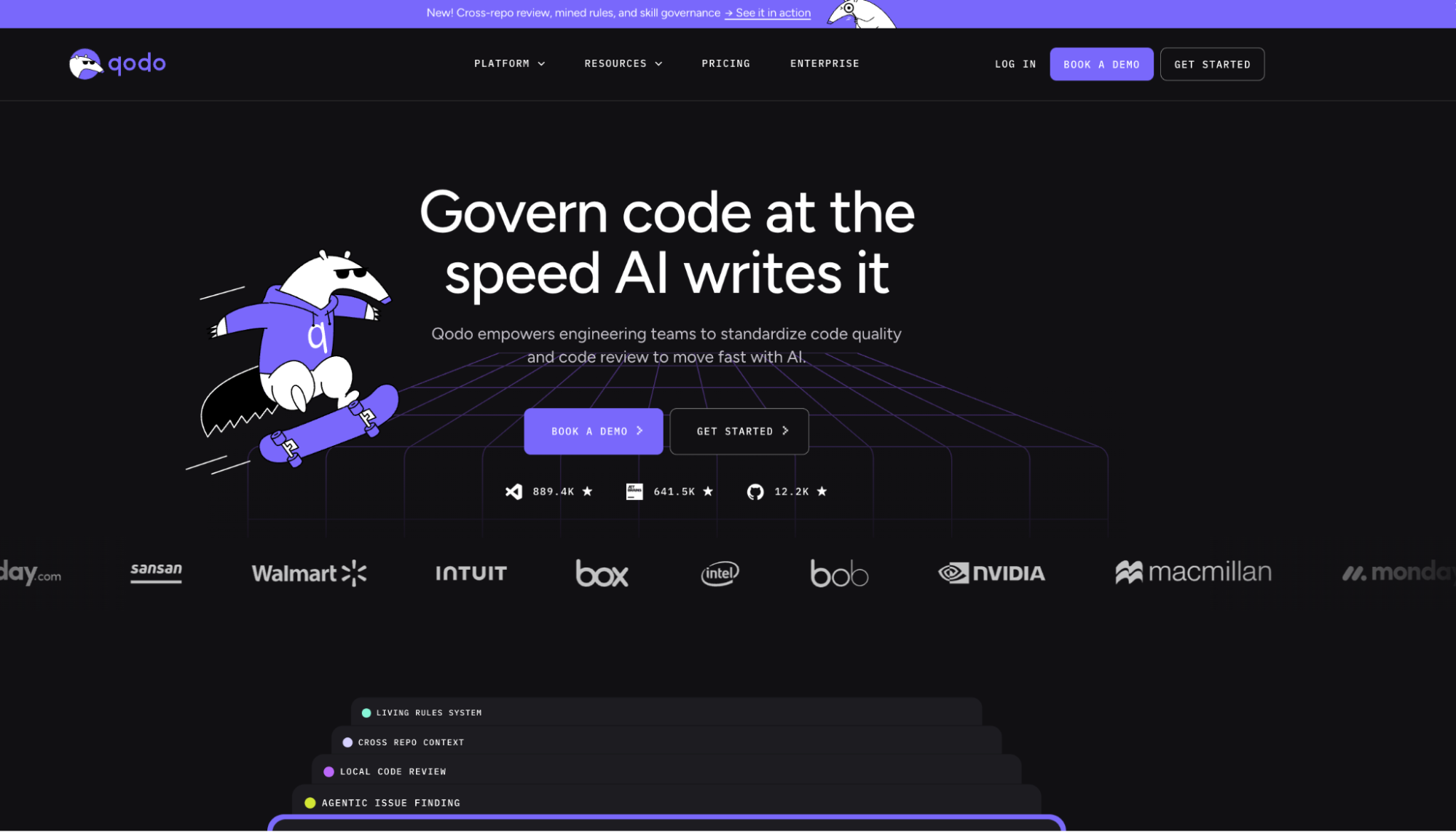
Qodo is a code review and governance platform covering testing, and standards enforcement across any major language and Git provider. Most AI coding tools are built to help you write code faster. Qodo is built for what happens after the code is written: whether it meets your team’s standards, whether it breaks something downstream, and whether the review that approved it actually caught what mattered.
That distinction matters more than it used to. AI agents are now writing a growing share of production code, and the review processes built for human-paced development weren’t designed to keep up. Qodo’s bet is that the answer isn’t slowing AI down, it’s turning quality and governance into infrastructure instead of something teams manually enforce PR by PR.
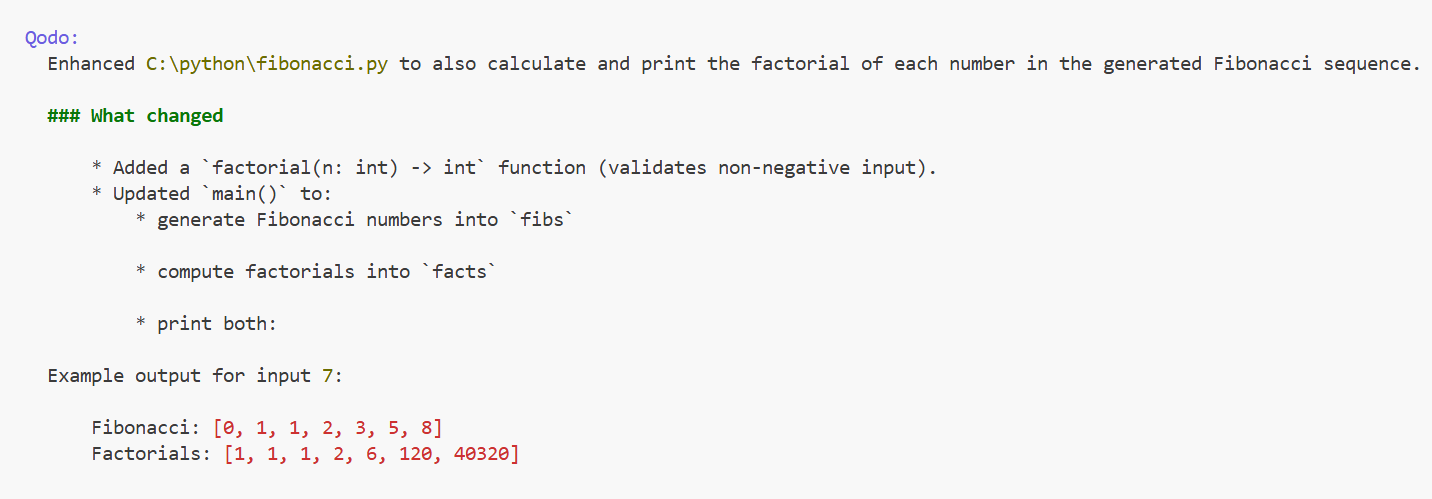
On the test task: With the Fibonacci program open, selecting the loop and sending /explain produced an explanation scoped to the selected lines rather than the whole file, which was the cleanest scoping behavior of any tool tested. /enhance to add factorial calculation returned a Git-style diff with apply-or-review options. A “Test this function” affordance appears above each detected function; for fibonacci_sequence, it generated a suite covering 15 distinct behaviors, with options to run them all, save the file, or add custom cases for a CI pipeline.
Best for: Teams merging a high volume of AI-generated Python who need review to keep pace, and teams that need coding standards enforced consistently across repos rather than living in someone’s head.
Not for: Individual developers who want a tool to write the first draft. Qodo reviews; it does not generate your application code.
Key features:
- Multi-agent review covering critical issues, duplicated logic, breaking changes, ticket compliance, and rules enforcement
- Context Engine with multi-repo indexing and PR history awareness
- Rules system with a Discover, Measure, Evolve lifecycle that derives standards from your codebase and PR history rather than a handwritten config
- Cross-repo conflict detection that flags downstream breakage before merge
- Pre-PR review in the IDE, so issues surface while they are still cheap to fix
Limitations: Qodo does not replace a generator, so most teams will run it alongside one of the six tools below rather than instead of one. Review quality depends on repository indexing, so a brand-new repo with no history yields less than a mature one. Pricing is credit-based, so high PR volume requires managing credit packs. On-prem and air-gapped deployment, BYOK, and SSO/SAML are Enterprise-tier only, so smaller teams with strict network constraints will not get them on the Pro Team plan.
Pricing: Free 14-day trial with unlimited reviews and no credit card. Pro Team from $30 with pooled credits at $0.012 each and no annual commitment, designed for up to 30 users. Enterprise is custom-quoted and adds SSO/SAML, audit logs, BYOK, and single-tenant or on-prem deployment. Full detail on the pricing page.
2. GitHub Copilot
GitHub Copilot is the default answer for most Python developers, largely because it is already wherever they work: VS Code, JetBrains, Visual Studio, and GitHub.com itself. It has expanded well past the inline autocomplete it launched with. The current product includes a desktop app, a Copilot CLI, agents that run asynchronously on GitHub, and access to third-party agents including Claude Code and Codex, with model selection on paid tiers.
For Python specifically, the useful surface is the slash-command layer. @ sets the scope (workspace, terminal, GitHub) and / sets the command, so /explain, /tests, and /fix cover most of what you would otherwise type out longhand.
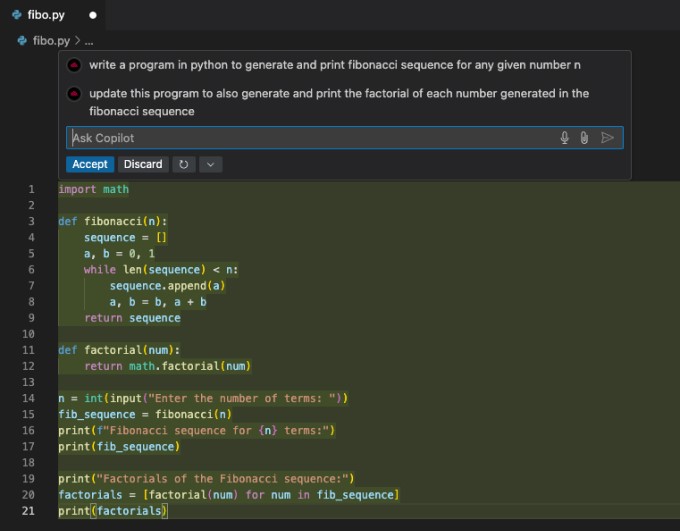
On the test task: Copilot generated the Fibonacci program inline with an accept-or-discard prompt, extended it to compute factorials through the same chat thread, and handled /tests cleanly. It detected that no Python test framework was configured, asked which one to use, generated the test file into the project directory after selecting pytest, and all six generated tests passed on first run.
Best for: Teams already standardized on GitHub who want one vendor across editor, CLI, and PR.
Not for: Teams that want an independent check on AI-written code. The same system writes the code and reviews the PR.
Key features:
- Inline completion scoped to the current file and open tabs
- Slash commands for explain, tests, and fix
- Copilot CLI and desktop app for work outside the editor
- Asynchronous agents that run on GitHub and open PRs
- Model selection and third-party agent access on paid tiers
Limitations: Default context is the open file and adjacent tabs, so suggestions drift from repo-wide conventions unless you invoke an agent mode explicitly. Paid tiers meter premium requests through a credit system, so heavy agent use has variable cost. PR review is diff-scoped rather than repo-scoped.
Pricing: Free tier available. Pro $10 per user per month, Pro+ $39, Max $100. Business and Enterprise tiers are sold separately. [NEEDS VERIFICATION: Business and Enterprise per-seat pricing was not confirmed on the plans page at time of writing.]
3. Cursor
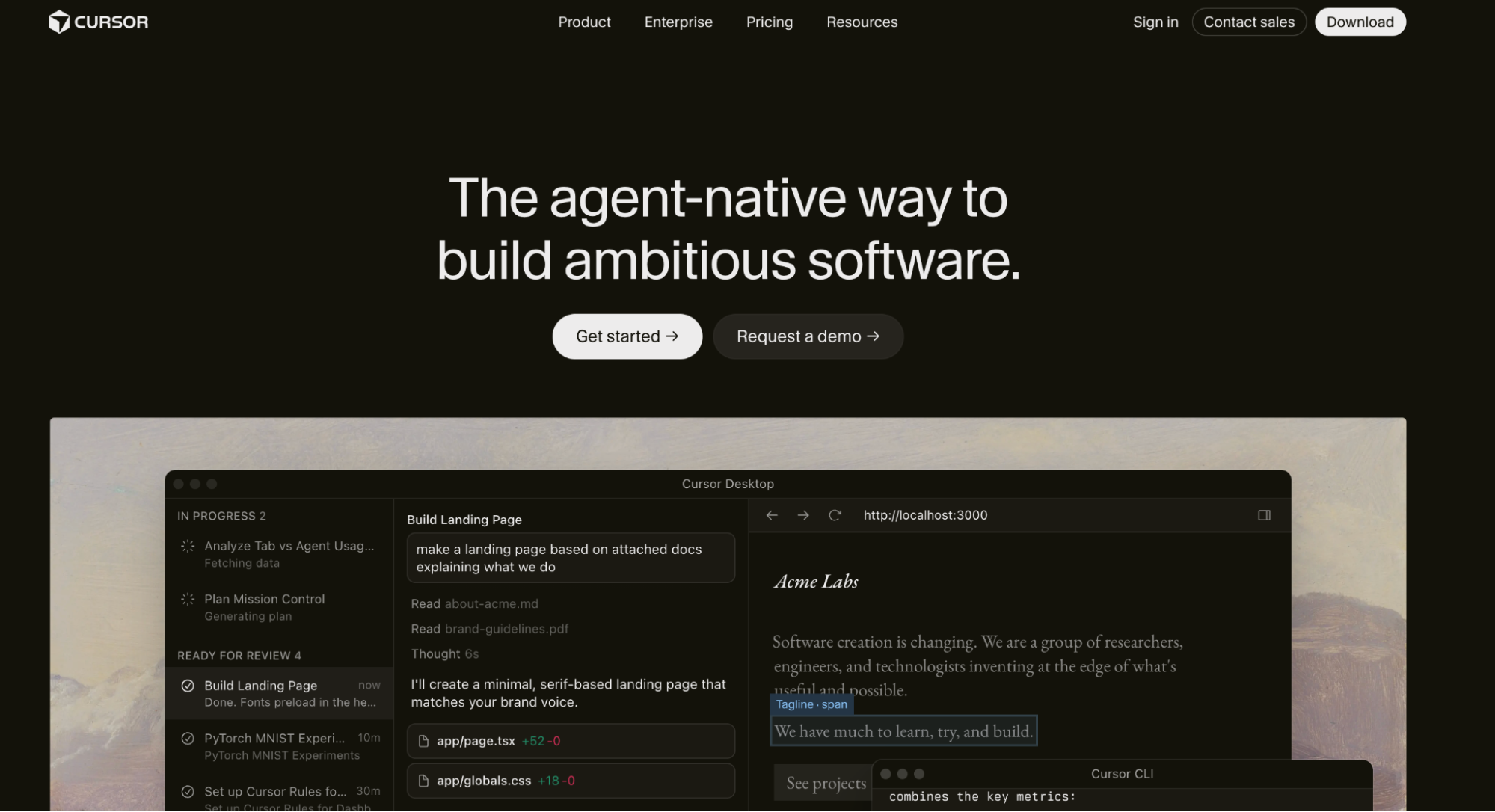
Cursor is not a plugin. It is a fork of VS Code with AI built into the editor, rebased against upstream VS Code as new versions ship. The interface will be familiar within about thirty seconds; what changed is underneath.
Over the past year Cursor shifted from an AI-assisted editor to an agent-first one. The current product centers on agents that run tasks in the background, a Cursor CLI, and Cursor Rules files that define project conventions the agent should follow. Tab completion still handles loops, conditionals, and full function bodies. Cmd+K opens inline editing at the cursor for plain-text instructions against a selection.
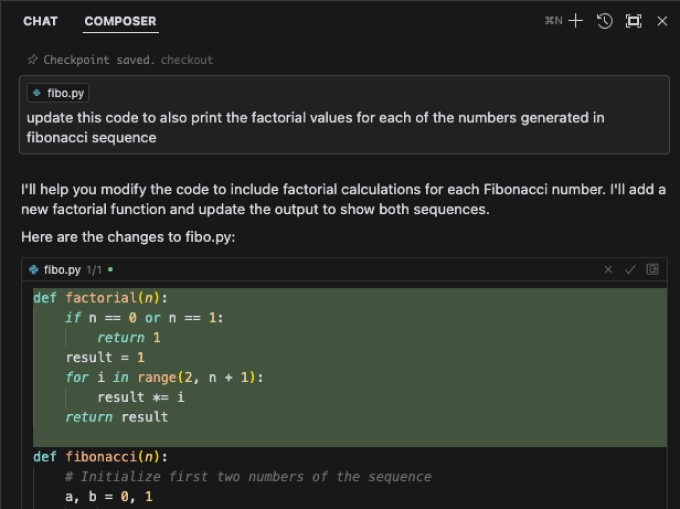
On the test task: Cursor generated a well-commented Fibonacci program and offered to apply it directly to fibo.py rather than making you copy it. Extending it to compute factorials produced a highlighted diff with accept and reject controls. Test generation was the weak point: it produced test cases and explanations, but did not create the test file, so the tests had to be copied out manually before python3 -m unittest would run them. Six tests passed.
Best for: Individual developers and small teams who want the deepest AI integration and will accept an editor migration to get it.
Not for: Teams standardized on JetBrains or on a locked-down IDE configuration, and teams that need review independent of the tool that wrote the code.
Key features:
- Tab completion for full function bodies, scoped to the current file by default
- @codebase to widen chat context to the whole project, or point it at docs and the web
- Cmd+K inline editing against a selection
- Background agents and a CLI for longer-running tasks
- Multiple model backends rather than a single locked-in provider
Limitations: Adopting it means moving editors, which is a real cost across a team. Project conventions live in Rules files that drift unless someone maintains them. Test files are not created automatically. As with Copilot, the system writing the code is the system reviewing it.
Pricing: Hobby tier free. Pro $20 per month, Teams $40 per user per month, with Pro+ and Ultra tiers above those.
4. Tabnine
Tabnine built its reputation on one promise: AI completion that never requires your code to leave your network. That is still the strongest reason to choose it. The company has since repositioned around an enterprise context engine and an AI coding suite rather than completion alone.
The material change since the last version of this article is ownership. As of August 2026, Tabnine’s own site carries a banner announcing its acquisition by Tricentis. For teams evaluating a multi-year commitment, that is worth factoring in alongside the feature set.
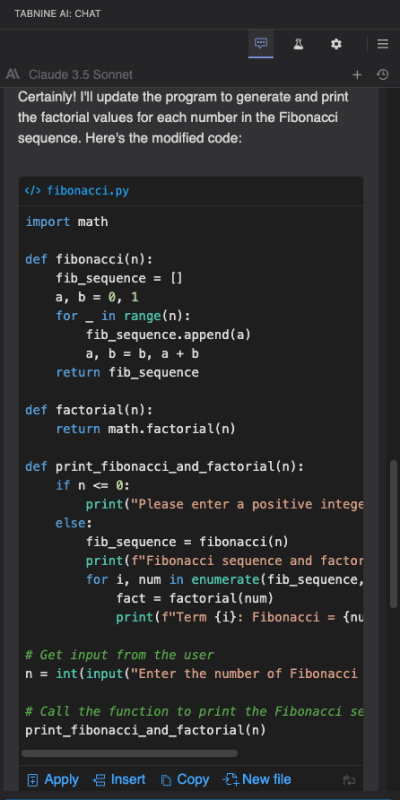
On the test task: Tabnine generated the Fibonacci program and, without being asked, proposed a filename and location for it, then created the file on Apply. Extending it to factorials produced a diff view with accept and discard rather than a silent overwrite. The output format drifted from what was requested, printing term-by-term rather than as a list, which a follow-up prompt corrected. Test generation via /generate-unit-tests produced a test plan rather than a finished file, letting you insert only the cases you want, which is a better default than generating twenty tests you then have to prune.
Best for: Regulated environments, defense, finance, and healthcare teams where source code cannot leave the network.
Not for: Teams that want the frontier-model quality ceiling, or teams that need roadmap certainty right now.
Key features:
- Real-time completion from in-file context using Tabnine’s own models
- Chat panel for generation, explanation, documentation, and tests
- Full on-premise or air-gapped deployment
- Selectable test plans rather than bulk test generation
- Enterprise context engine available as a standalone component
Limitations: Raw generation quality trails the frontier-model tools. The explanation panel offers Apply and Insert actions even when you only asked for an explanation, which invites accidental edits. Post-acquisition roadmap is unclear.
Pricing: Two tiers, both annual subscription and quote-based, with no free tier. Code Assistant Platform is $39 per user per month. Agentic Platform is $59 per user per month and adds agentic workflows, the CLI, and the Context Engine. Usage is unlimited when you bring your own LLM on-prem or your own cloud endpoint; using Tabnine-provided LLM access adds a reserved token consumption quota billed at actual provider prices plus a 5% handling fee. Headless agents for CI/CD are a separate add-on.
5. Amazon Q Developer
Amazon Q Developer is AWS’s coding assistant, and its distinguishing feature is not generation quality. It is AWS fluency: service recommendations, cloud-native patterns, and code that reflects how your infrastructure is actually configured. For a Python team running Lambda functions and DynamoDB tables, that is worth something no general-purpose tool offers.
Read this before adopting it. AWS has posted an end-of-support notice stating that on April 30, 2027 it will discontinue support for the Amazon Q Developer IDE plugins, and directing developers to Kiro for equivalent agentic coding, chat, and MCP capabilities. The service continues; the IDE plugin path does not.
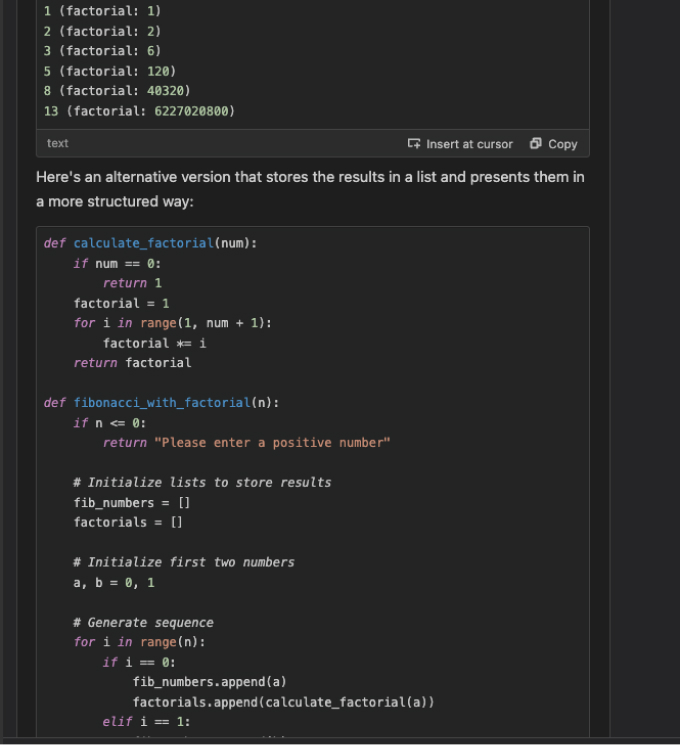
On the test task: Amazon Q produced well-commented code with a detailed explanation of intent, and when asked to add factorial calculation it returned an improved version of the whole program in the same response. The workflow friction showed up immediately after: there is no diff-and-approve step, so the updated code has to be copied back by hand. /explain has no line-selection scope, so asking about one loop returned an explanation of every loop in the file. Unit test generation correctly identified the functions to cover and offered a diff, but the generated tests would not run without manually creating __init__.py and sorting out packaging and directory structure.
Best for: Python teams deep in AWS who want infrastructure-aware suggestions.
Not for: Teams outside AWS, and teams planning tooling more than about eighteen months out.
Key features:
- Inline suggestions and chat-based generation
- AWS service recommendations and cloud optimization guidance
- Unit test generation with function detection
- Code transformation and upgrade workflows, metered by lines of code
- Free tier with genuinely usable limits
Limitations: No approval-based merge flow for generated changes. Explanations cannot be scoped to a selection. Generated tests need manual project setup before they run. The IDE plugin end-of-support date makes this a migration decision, not just a tooling decision.
Pricing: Free tier available. Pro tier $19 per user per month, with code transformation metered at 400,000 lines per month before overage charges of $0.003 per line.
6. Jedi
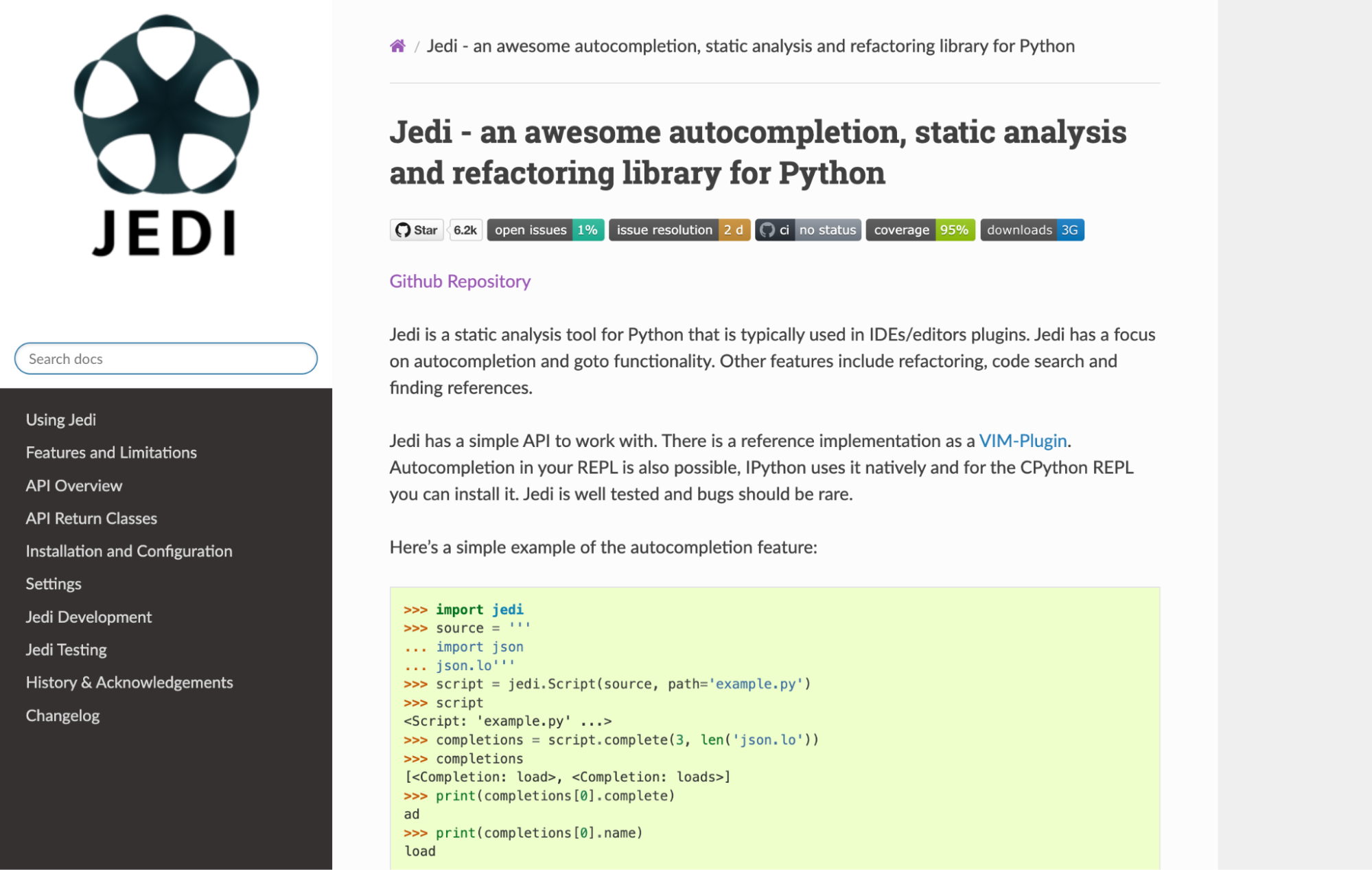
Jedi is the outlier: an open-source static analysis and autocompletion library rather than a commercial product. No chat, no generation, no subscription. If you use the VS Code Python extension, Jedi has been quietly running underneath it for years.
It remains actively maintained. Version 0.20.0 shipped in May 2026, it requires Python 3.10 or newer, and the repository shows regular commits, 6.2k stars, and CI coverage for Python 3.14.
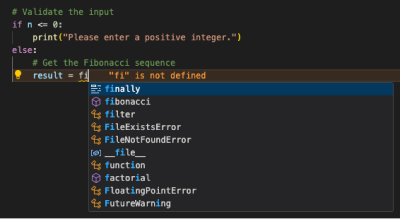
On the test task: Jedi does not participate in generation, so the comparison is about what it does while you write. It provides completions for variables, functions, classes, and methods, resolves go-to-definition, and understands decorators, generators, context managers, and type annotations rather than just surface syntax.
Best for: Anyone who wants deterministic, free completion and navigation with no model in the loop and no data leaving the machine.
Not for: Anyone expecting AI assistance of any kind.
Key features:
- Context-aware completion for variables, functions, classes, and methods
- Go-to-definition across large codebases
- Static analysis flagging unused variables and unreachable code
- Refactoring support including project-wide rename
- Editor support across VS Code, Vim, Emacs, and Sublime Text
Limitations: No AI, no generation, no test creation, no chat. It is infrastructure rather than a product, which means most developers using it have never configured it and never will.
Pricing: Free and open source.
How the 6 Python code generator tools scored,
by dimension
These are composite judgments against the six weighted dimensions above, not an overall ranking, and there is no rank column on purpose. These seven tools solve three different problems. Scoring a static analysis library and a review platform against each other on a single 1-to-6 scale would misrepresent both. Read each column against the tools that share that column’s job.
| Tool | Output quality | Context depth | Testing | Workflow fit | Enterprise | Pricing clarity | Best for | Weakest at |
|---|---|---|---|---|---|---|---|---|
| Qodo | ★★★★★ | ★★★★★ | ★★★★★ | ★★★★☆ | ★★★★★ | ★★★★☆ | Reviewing code at merge time | Does not generate application code |
| GitHub Copilot | ★★★★★ | ★★★☆☆ | ★★★★☆ | ★★★★★ | ★★★★☆ | ★★★☆☆ | Breadth across editor, CLI, and PR | Repo-wide context by default |
| Cursor | ★★★★★ | ★★★★☆ | ★★★☆☆ | ★★★☆☆ | ★★★☆☆ | ★★★★☆ | Deepest in-editor agent experience | Requires an editor migration |
| Tabnine | ★★★☆☆ | ★★★☆☆ | ★★★★☆ | ★★★★☆ | ★★★★★ | ★★☆☆☆ | Air-gapped and on-prem deployment | Generation quality ceiling |
| Amazon Q Developer | ★★★★☆ | ★★★☆☆ | ★★☆☆☆ | ★★☆☆☆ | ★★★★☆ | ★★★★☆ | AWS-native Python services | IDE plugin end-of-support in 2027 |
| Jedi | ★★★☆☆ | ★★★☆☆ | ☆☆☆☆☆ | ★★★★★ | ★★★★★ | ★★★★★ | Deterministic, offline, free | No AI assistance of any kind |
How to structure your Python AI coding stack
The tools above do not compete so much as stack. A generator drafts, a completion engine speeds up the parts you write yourself, and a review layer decides whether any of it should merge.
For most teams the practical configuration is one tool per layer. Pick a generator that matches where your code lives, whether that is GitHub, AWS, or your own network. Leave the free completion layer alone, since Jedi already work and cost nothing. Then add verification, because that is the layer that gets skipped, and skipping it is what turns a velocity gain into a defect backlog four sprints later.
If your team is already generating Python faster than it can review it, that is the layer to fix first. You can start a Qodo trial and run it against an existing repo without changing anything about how your team writes code.
FAQs
What is the best free Python code generator?
GitHub Copilot’s free tier is the strongest option for actual generation. If you only need completion rather than generation, Jedi is free permanently and require no account.
Can AI-generated Python code be trusted in production?
Not without verification. In the 2025 Stack Overflow survey, 46% of developers said they actively distrust the accuracy of AI tools, against 33% who trust it, and experienced developers were the most skeptical group. Treat generated Python as a first draft from an unfamiliar contributor: useful, and reviewed before merge.
Do I need both a generator and a review tool?
If you are working alone on a small project, no. If you are merging AI-written Python into a shared codebase, yes. Generation increases the volume of code arriving at review, and review capacity does not scale on its own.
Which tool generates the best Python tests?
Copilot handled the full loop most cleanly on the test task, detecting the missing framework, prompting for pytest, and writing a runnable test file. Qodo produced the broadest coverage, 15 distinct behaviors for a single function. Amazon Q generated tests that needed manual packaging work before they would run.
Is Amazon Q Developer still worth adopting for Python in 2026?
If your Python runs on AWS and you want infrastructure-aware suggestions, it still earns its place. Factor in the April 30, 2027 end-of-support date for the IDE plugins and the migration path to Kiro before committing a team to it.
Does Qodo work with the tools above or replace them?
Alongside them. Qodo reviews Python regardless of what wrote it, so it sits behind Copilot, Cursor, Tabnine, or hand-written code without changing how that code gets produced.